



2026.R2 (Feb, 2026)
Code Release (incl. bug fixes): February 8, 2026
Feature Release date: February 22, 2026
Welcome to 2026 and our new structure of bringing Release Notes to you. We are now giving you our updates. new capabilities and features in the context of our roadmap themes:
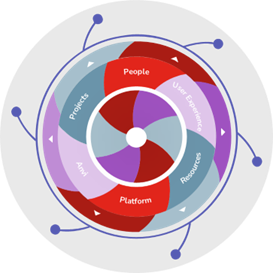
 Portfolios and Projects
Functional Area |
Feature |
GA / Labs |
New Workplan |
New Import WorkplanImproved Import action for Project Details to upload a new/updated import workplan from an excel file. Please note that the new import workplan currently supports import only from Excel file at the moment, follows Planview Design System and does not support custom CSS (color, fonts etc.), and supports only English, French, German, and Spanish. Please consult your CSM or AE for enablement. |
Labs |
Financial Management |
Agnostic Revenue Recognition and Adjustment FrameworkAdaptiveWork now supports a flexible, system-agnostic framework for managing Revenue Recognition (Rev Rec) and Revenue Adjustments within project configurations. Key Highlights:
This feature improves financial accuracy and provides clear visibility into forecasted vs. actual revenue—all within your project structure. For more details click here. Please consult your CSM or AE for enablement. |
Labs |


 Platform Capabilities
Functional Area |
Feature |
GA / Labs |
| PV Admin |
Integration with Planview AdminAs announced on 2025.R12 Release, PV Admin is available for AdaptiveWork customers, offering a centralized authentication mechanism across all Planview products, allowing you to:
Please contact your CSM or AE to register & plan your integration. |
GA |
UI |
New Top Navigation BarAs part of AdaptiveWork modernization, we have released an updated top navigation bar built on the Planview Design System (PVDS) that provides:
We invite you to be an early adopter to:
Please reach out to your Account Executive or Customer Success Manager to enable it in your environment. Important Changes
Please Note: The new navigation bar follows Planview Design System (PVDS) and does not support custom CSS modifications (color, font changes, etc.). |
Labs |
| UI | New Theme for Details Pages
We have improved the look and feel of various modules' Details page, i.e., Project. Task, etc., by updating the color scheme, fonts, and spacing of detail pages. This promotes legibility and readability, along with making the UI look more modern. Please consult your CSM or AE for enablement. |
Labs |

 Other Topics
Functional Area |
Feature |
GA / Labs |
| Global Settings |
Display of Org IDHow many times were you asked to provide your instance's Org ID (e.g. when submitting a Sandbox Refresh request or when asking to enable a labs feature) and didn't know how to find it? We have a added a new field in Global Settings that will display your Org ID. You can pull this hidden field to your Global Settings view (Settings > Profile > Organization > Field Layout > Property Card) to make it visible at all times. |
GA |
 Announcements
Anvi Chat |
End of Trial PeriodThe Anvi trial period ended on Jan 31st, 2026. What this means for you:
To continue using full Anvi capabilities, please contact your CSM or AE. |
Security |
Switching from TLS1.2 to TLS1.3TLS1.2 will be removed from the list of supported encryption protocols. This change will require the verification that any custom integrations (via APU using REST API or integration software) support TLS1.3. These are timelines:
|