



Plutora Release Notes for November Release 2024
New Features
Deployment Plan Activity Grid – custom fields editable
Navigation: Deployment > Manager.
Plutora now has the ability to edit the deployment plan activity custom fields on the grid. This allows you to make changes quickly to the custom fields rather than having to open the editor window. The editor window is still available if you prefer to maintain the activities there. Editing of core fields is already available.
For more information, see Manage Deployment Plan Activities.

New Field in Email Templates for Changed Fields
Navigation: Settings > Customization > Email Notifications > Email Template Wizard.
You can now visually group all fields that have been changed and triggered an email notification within the email body. This enhancement includes a new placeholder, , enabling quick access to notifications about all updated fields, streamlining your analysis of changes in Plutora.
For more information, see Email Template Wizard Customization.
.png?revision=1)
Deployment Plan Activity: Enable Filters in Email Notifications
Navigation: Settings > Customization > Email Notifications > Email Template Wizard.
This feature allows you to customize your Deployment Plan Activity email templates by using filters on core and custom fields. You can now target specific Deployment Plan Activities, ensuring that only relevant changes trigger email notifications, thus enhancing communication efficiency.
For more information, see Email Template Wizard Customization.
.png?revision=1)
Email Notifications: Show Old Values
Navigation: Settings > Customization > Email Notifications > Email Template Wizard.
You now have the option to display old values in email notifications. This enhancement allows recipients to see previous values alongside changes, providing clearer context and improving the understanding of modifications made to records.
For more information, see Email Template Wizard Customization.
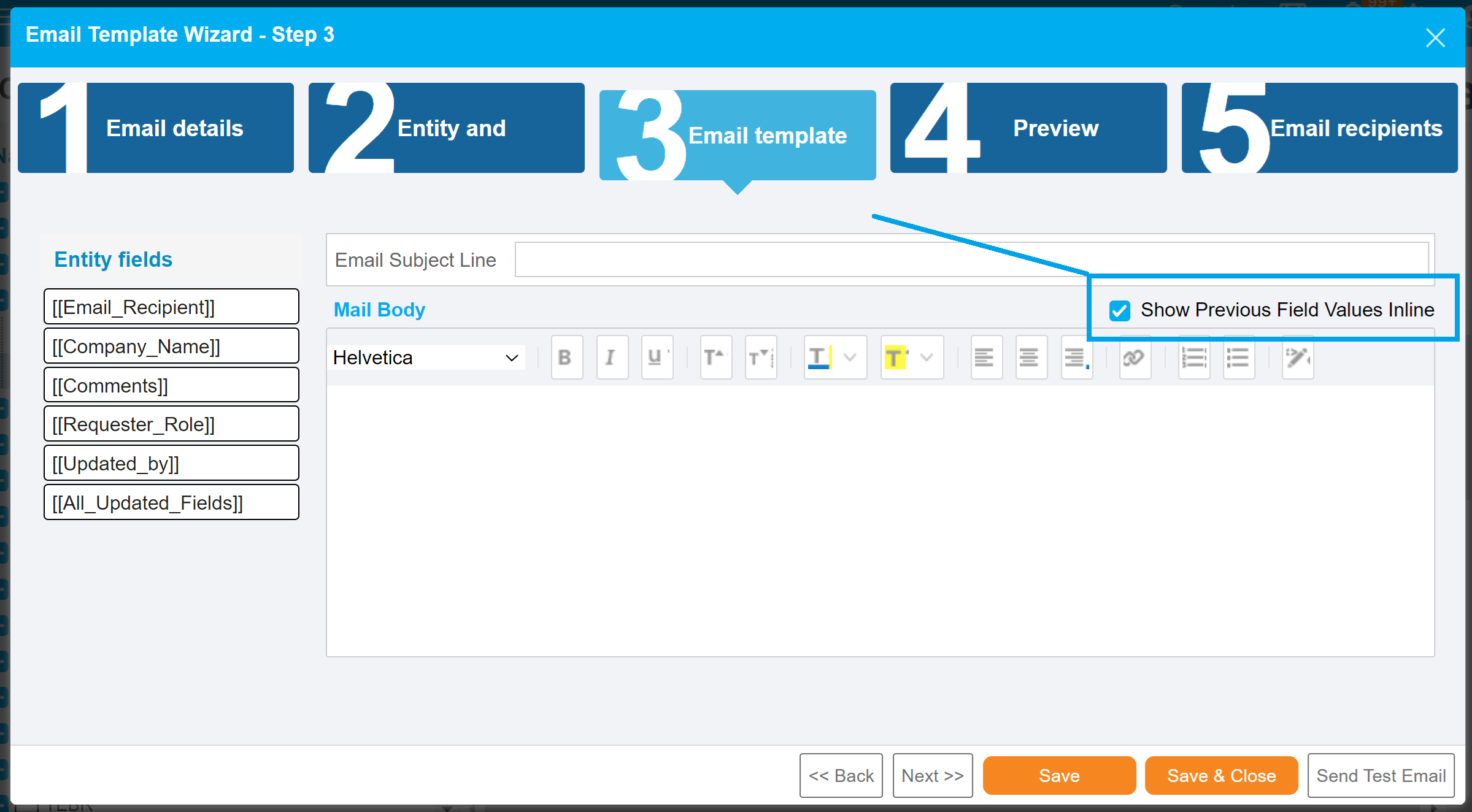.png?revision=1)
New Email Triggers for TECR Environment Status and TECR Environment Build Status Changes
Navigation: Settings > Customization > Email Notifications > Email Template Wizard.
Email notifications can now be sent when there are updates to the ‘TECR Environment Status’ and ‘TECR Environment Build Status.’ These new triggers ensure that stakeholders are promptly informed about critical environment changes, facilitating quicker response times.
For more information, see Email Template Wizard Customization.
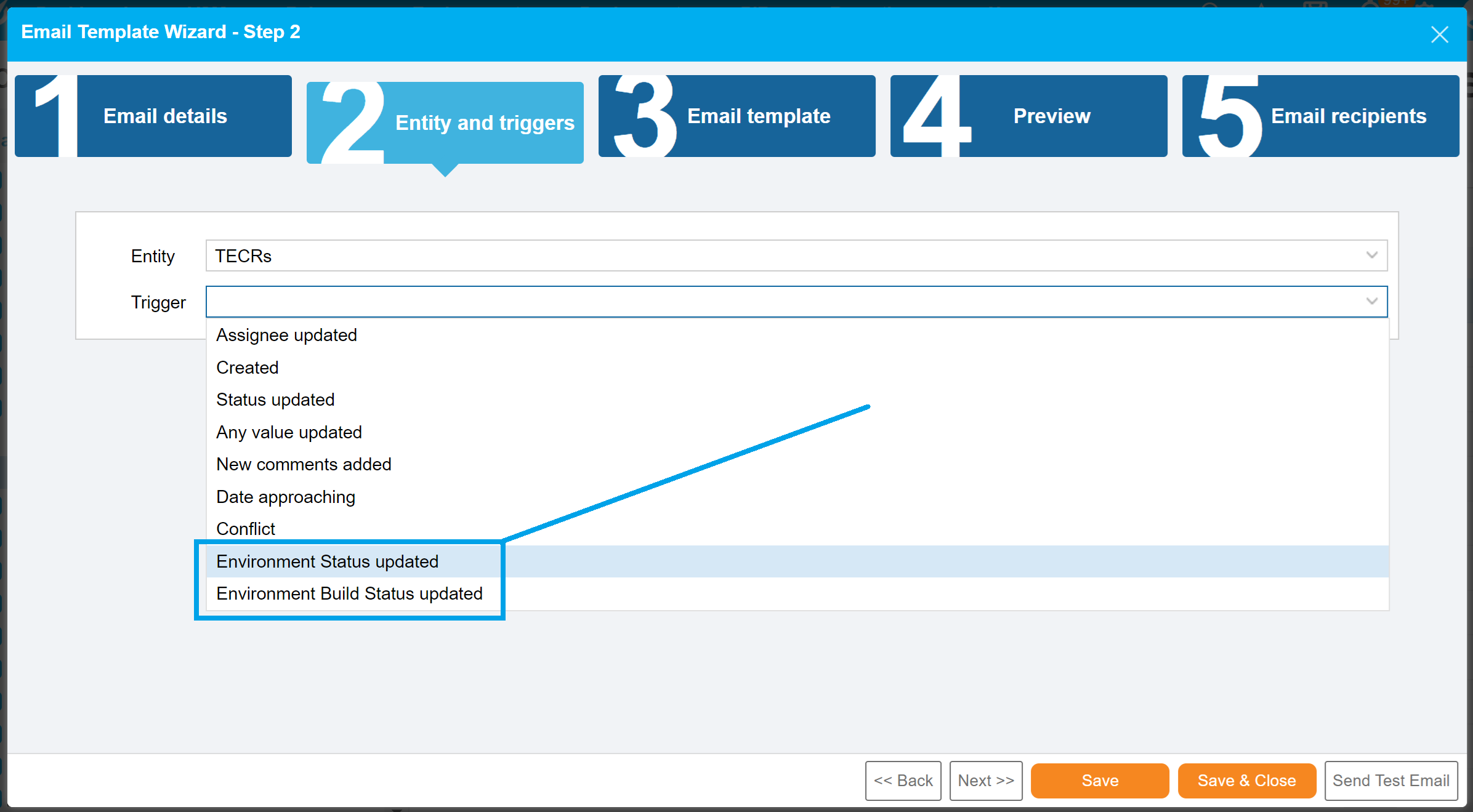.png?revision=1)
Download History to XLS
Navigation: All entities.
You can now download any entity’s audit history (historical data) into an XLS file for in-depth data analysis. This feature simplifies data extraction, enabling better reporting and decision-making based on historical insights.
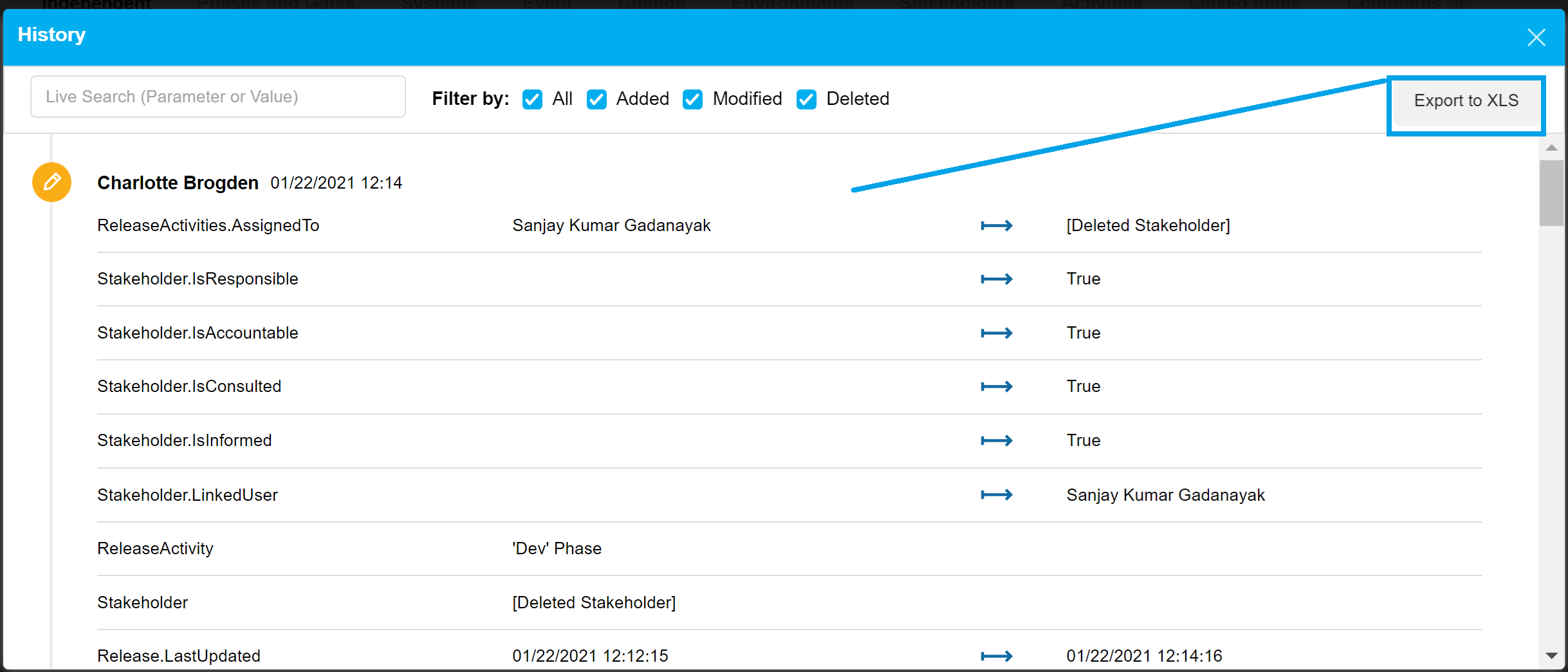.png?revision=1)
Deployment Plan Activity Grid: Open Dependency Window Directly
Navigation: Deployment > Manager.
You can now access Activity Dependency details directly from the Activities grid without needing to open the Activity edit panel. This improvement enhances usability by providing immediate access to important dependency information, streamlining workflow and decision-making.
.png?revision=1)
Search by Subsystems Names in the Grid Subsystems Column
Navigation: Environment > Systems.
Now you can filter Systems by Subsystems, allowing for a more focused and efficient search experience. This enhancement improves usability by enabling users to quickly locate specific subsystems, thus saving time and increasing productivity.
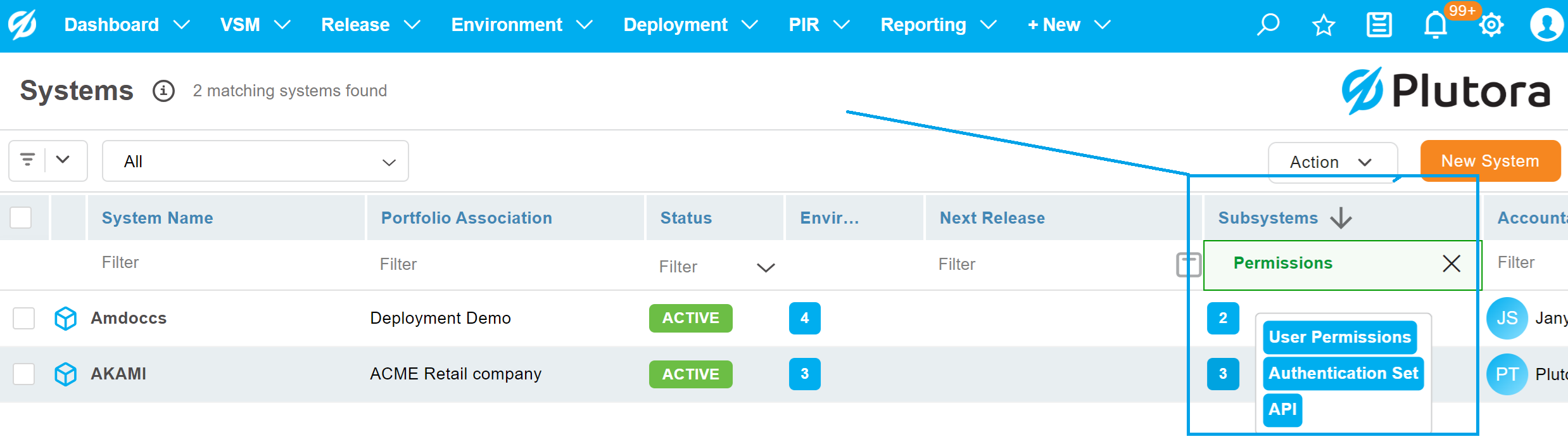.png?revision=1)
DPA – Dependency Management Corrections
Navigation: Deployment > Manager.
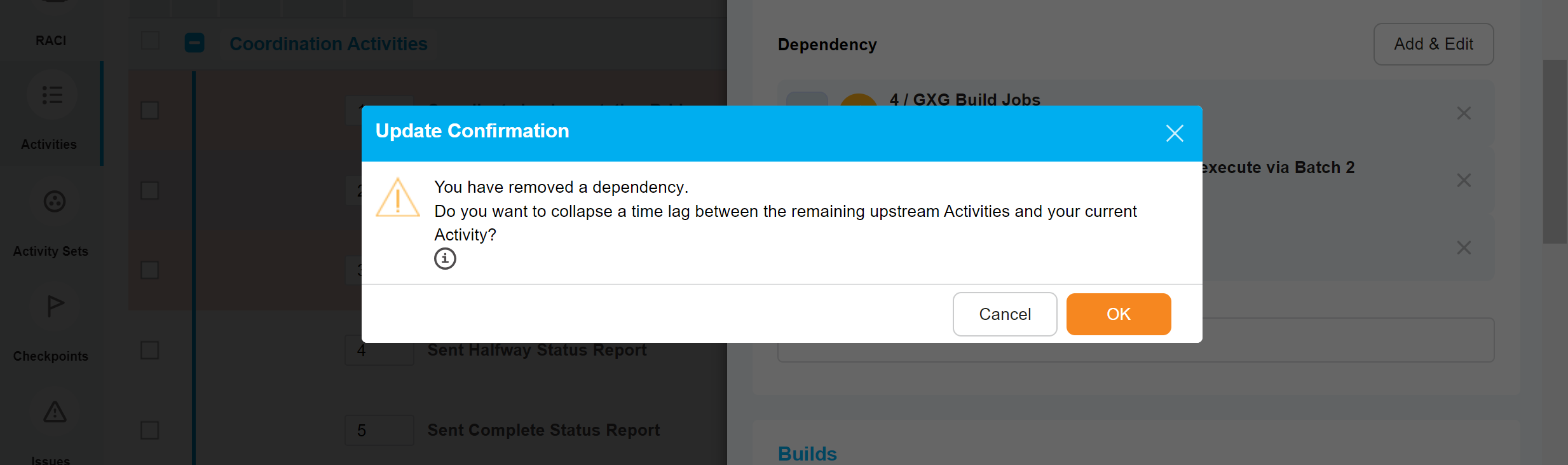
You can now adjust your Activity Planned dates when removing Activity Dependencies, ensuring that your Activities are accurately aligned on the timeline. This feature enhances project management by providing clarity and consistency in scheduling, making it easier to manage dependencies effectively.
.png?revision=1)
Bug Fixes
- 34505: [Integration Hub] Parameter Values in Environments should be retained when added to TECR/Deployment Plans
- 35300: DPA – Dependency Management corrections – align the time on a dependency removal
- 35411: [Notifications] Email notifications are coming from .co rather than .com
- 36237: Release KPI Dashboard – Issue
- 36339: [Deployment plan] export activities in excel format the [revised date – end date] field is giving values in UTC
- 36445: [Email Notification] – Email notification shows as None value in the content of DP activity status
- 36941: [DP Performance]: Performance issue in deployment module – Slowness
- 37130: [Email Templates] Deployment Plan Activity hasn’t started on time email trigger is not working
- 37208: [UI] – Automated Job Checkbox in Integration Hub is not working
- 37411: [Deployment Plan] Description of DP is showing up as HTML Encoded characters in the grid view
- 37440: [Health Check Dashboard] Environment Search filter closes after being populated
- 37467: [Deployment]- Description shows HTML( source) code in the grid as well as detailed view
- 37615: [TEBR/TECR] – Completed TEBR and TECRs are visible in the linked items
Version Number
2.46.0
Regional Release Schedule
| Type | Schedule * |
| Asia-Pacific Release | 12th November 7:30pm – 10:00pm (AEST) |
| Europe Release | 12th November 11:00pm – 1:30am (GMT) |
| Americas Release | 20th November 7:00pm – 9:30pm (PST) |
*Subject to change