



Plutora Release Notes for February Release 2025
New Features
Continuous Delivery Pipeline Filtering Upgrades
Navigation: Environment > Continuous Delivery Pipeline.
Private and Public Filters on Continuous Delivery Pipeline Page
Plutora now supports the ability to save and load both private and public filters on the Continuous Delivery Pipeline page, similar to the functionality already available on the Release Schedule and Environment Schedule pages.
For more information, see Continuous Delivery Pipeline.

Environment Group View Enhancements:
Filtering by System: Environment Group View can now be filtered by System, allowing users to view only Environments related to the selected System.
Expand All Environments: Users can now expand all Environment branches at once, facilitating comparisons across different Phases and Groups.
Additional Release Information: Environment Group View now displays additional Release-related information, extracted from the associated TECR.
For more information, see Continuous Delivery Pipeline.
.png?revision=1)
Linking Builds to Releases Based on System
Navigation: Environment > Builds.
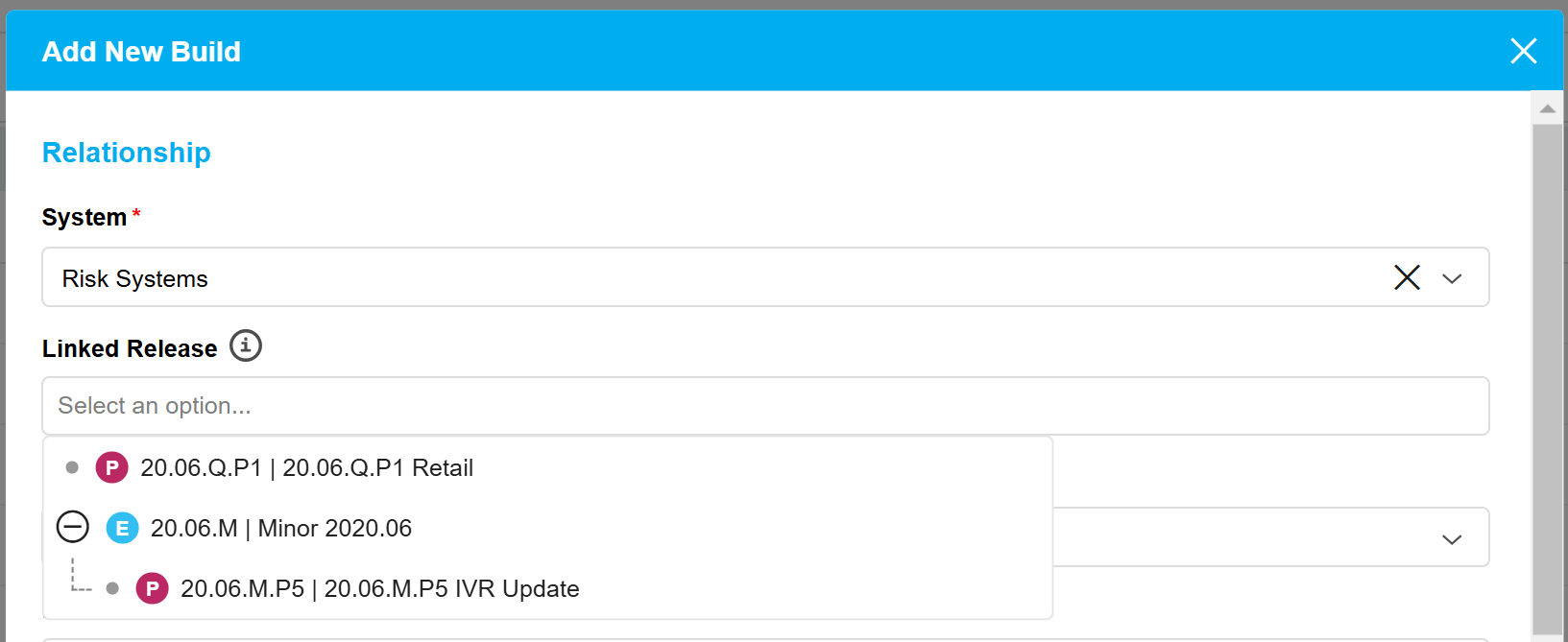
Plutora now allows you to link a new Build to a Release based on the System rather than the Subsystem. This means that if a Subsystem is part of System A, and System A is linked to a Release (even if the Subsystem itself isn’t), the Release will still appear as an option in the Build’s Linked Release field.
For more information, see Add/Edit Builds.
.png?revision=1)
Real-time Updates to Deployment Plan Activity SEQ Values
Navigation: Deployment > Manager.
Deployment Plan Activity SEQ values are now updated in real time on the grid. When User A modifies the SEQ value, User B will immediately see the updated value, ensuring synchronized changes across users.
Ability to duplicate Deployment Plan Activity
Navigation: Deployment > Manager.
Plutora now allows to duplicate a Deployment Plan Activity with its core and custom fields.
For more information, see Manage Deployment Plan Activities.
Email Notifications: Frame around fields with extra formatting
Navigation: Customization > Email Template Wizard.
Plutora now lets users add a visual frame around Description text with custom format, so it looks as a nicer organized view for the email recipients.
.png?revision=1)
Bug Fixes
- 37179: [API] POST /DeploymentPlanBase/DuplicatePlan ignores new time and only applies new date
- 37903: [API] GET /TEBRs/{id}/Bookings returns data from deleted Release
- 37968: [Deployment Plan Activity] Automated Jobs get stuck after clicking run multiple times
- 38157: [User_Interface] – Screens moves to top of the window
- 38178: [Deployment Plan] Defect on time align of dependencies. Activity 4 in the dependency chain does not align once activity 1 is shifted to the past
- 38385: [DPs]-Unable to edit activity set once MDP is in execution
- 38552: [Planning]- Not able to see stories in RMP-sandbox Planning module
Version Number
2.47.0
Regional Release Schedule
| Region | Schedule * |
| Asia-Pacific Release | 19th February 7:30pm – 10:00pm (AEDT) |
| Europe Release | 19th February 11:00pm – 1:30am (GMT) |
| Americas Release | 25th February 7:00pm – 9:30pm (PST) |
*Subject to change