



Plutora Release Notes for June Release 2024
New Features
Deployment Plan Workflow
Navigation: Deployment > Manager.
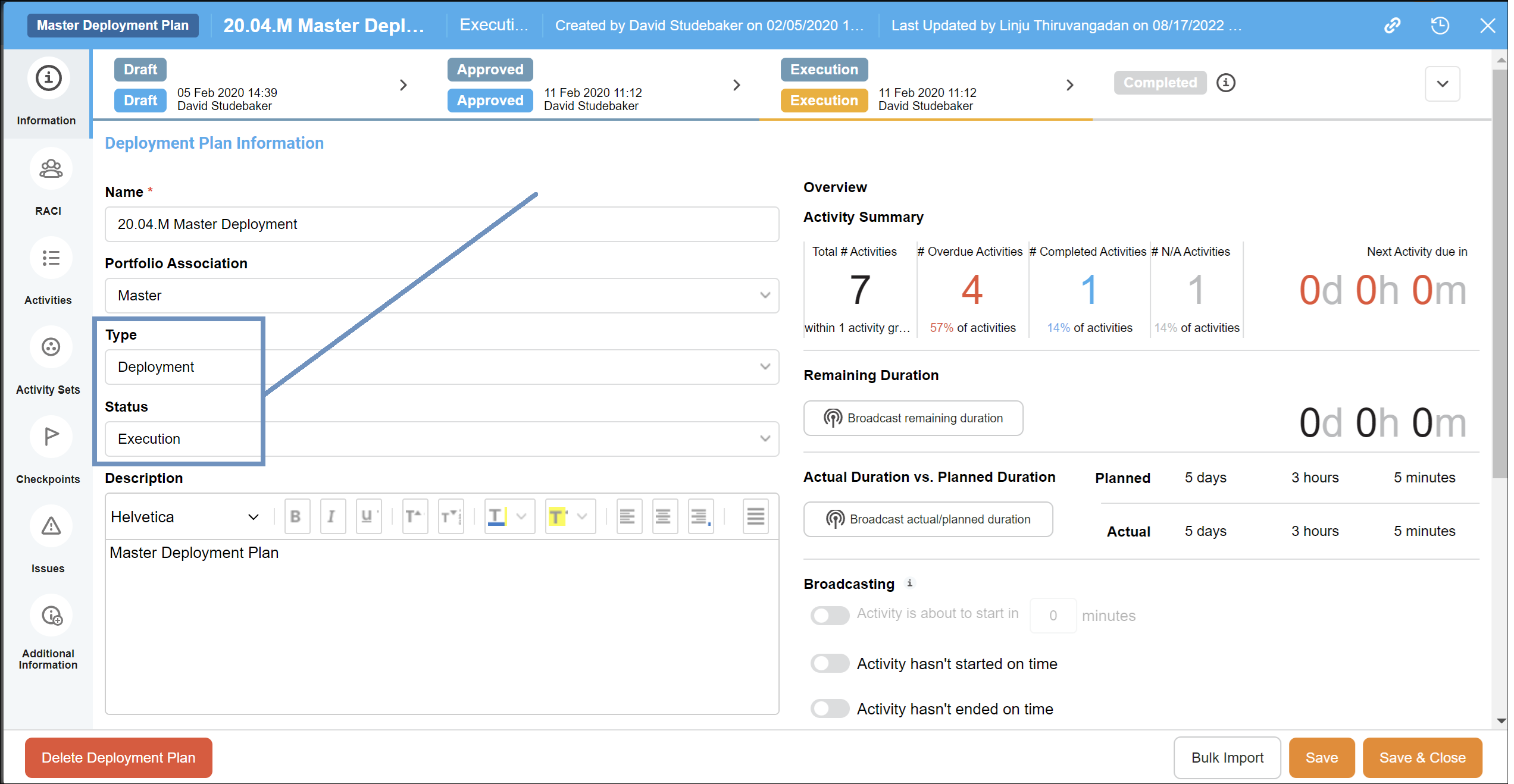
Now you can customize your Deployment Plan Type and Status for greater flexibility and streamlined project management. Several default Types and Statuses are available for selection, making it easy to tailor the deployment process to your needs. Additionally, a new workflow panel has been introduced on the Deployment Plan window, allowing you to view the entire workflow and its available transitions at a glance. The workflow settings align with those in other Plutora areas, ensuring a seamless and intuitive user experience.
For more information, see Deployment Plan Workflow, Deployment Plan Type Customization, and Deployment Plan Status Customization.
Deployment Plan Activity – editable SEQ value on the grid
Navigation: Deployment > Manager.
Now you can effortlessly manage and reorder your Activities with the editable SEQ field. No more manual drag-and-drop; simply edit the SEQ value and press Enter to instantly update the order of your Activities in a matter of seconds.
For more information, see Manage Deployment Plan Activities.
.png?revision=1)
Deployment Plan Activity – new setting to restrict an update by Assignee only
Navigation: Settings > Customization > Deployment Plan Activity > Status.
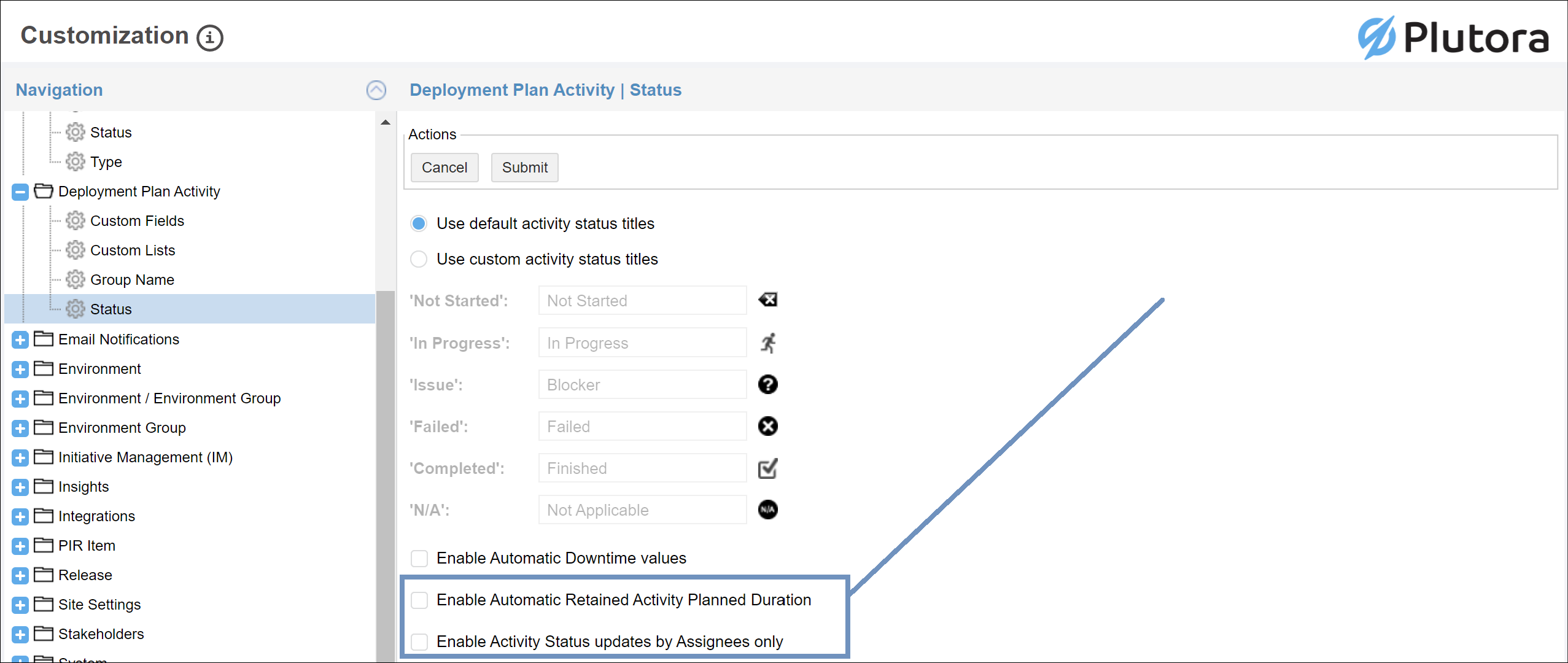
Now you can restrict Activity Status updates to Assignees only. Simply use the new checkbox setting available on the Deployment Plan Activities Status Customization page.
For more information, see Deployment Plan Activities Status Customization.
.png?revision=1)
Deployment Plan Activity – new setting to retain Planned Duration on dates update
Navigation: Deployment > Manager.
Now you can retain the Planned Duration when updating Planned Start or Planned End dates. A new checkbox has been added to both date fields, allowing you to maintain the duration between Planned Start and Planned End. Simply select the checkbox to keep the duration consistent after updating the Start or End date.
For more information, see Manage Deployment Plan Activities.
.png?revision=1)
Deployment Plan Activity – show dependencies on the grid
Navigation: Deployment > Manager.
Now you can effortlessly track dependencies for every Activity directly on the grid view. Simply observe the dependencies number next to each Activity to gauge its dependencies. Need more insight? Click on the dependencies number to seamlessly access the Dependencies window. Plus, hover over the number for a tooltip revealing the names of all upstream dependent activities, providing nuanced clarity at a glance.
For more information, see Manage Deployment Plan Activities.
Email Notifications – Release Activities Conditional Triggering
Navigation: Settings > Customization > Email Notifications > Email Template Wizard.
Now you can personalize your Release Activities email notifications with conditional triggering, leveraging all core and custom Release Activity fields for filtering. This enhanced feature grants you the ability to tailor notifications precisely to your needs, ensuring you stay informed about the activities that matter most to you.
For more information, see Email Template Wizard Customization.
Planning Management – VSFM Dashboard – multi-select feature for the Work Type
Navigation: Dashboard > Value Stream Flow Metrics.
Now you can enhance your data analysis by using the multi-select Work Type filter on the Value Stream Flow Metrics dashboard, allowing you to view and compare information for multiple work items simultaneously. This improvement provides a more flexible and comprehensive insight into your workflow dynamics.
Bug Fixes
- 32548: [Planning Management] Linked Items are not visible in the UI
- 33372: [Planning API] – incorrect date is loaded if we pass NULL value for V1 due date
- 34387: [Integration] Plutora V1 integration job is failing with error status code 500
- 34703: [TECR] -TECR allowing selection of release in end/completed state
- 34745: [Planning] Scrolling through column filter is inconsistent
- 34805: [Planning] /planning/stories/Filters API not returning existing records for some values
- 34860: [Search] add in 429 detection and retry ability
- 34876: [Deployment Plan] Full list of Systems/Releases/DPs should be expanded
- 35001: Release > Environments tab > Add Environment > prefiltered Systems loading only when opened first time
- 35300: [Deployment plan] Unable to update task duration for the activities.
- 35353: [User] – Unable to edit User Group members (remove users)
- 35485: [User] – User with create/update permission unable to access user management
Version Number
2.44.0
Regional Release Schedule
| Type | Schedule * |
| Asia-Pacific Release | 25th July 7:30pm – 10:00pm (AEST) |
| Europe Release | 27th June 1:00am – 3:30am (BST) |
| Americas Release | 30th July 9:00pm – 10:30pm (PDT) |
*Subject to change