Box Integration
Using Box with AdaptiveWork
The Box integration improves AdaptiveWork's collaboration capabilities by giving you the ability to link existing BOX files to AdaptiveWork entities like projects, milestones, tasks, cases and easily manage your sharing with the rest of your team through AdaptiveWork.
Associating your Box Account to AdaptiveWork
Linking Box Files and Folders to AdaptiveWork Items
Associating your Box Account to AdaptiveWork
Users can associate their accounts to BOX either:
- Automatically when attempting to add a BOX file for the first time
Or - From the 'My Details' page
To associate the BOX account from the 'My Details' page
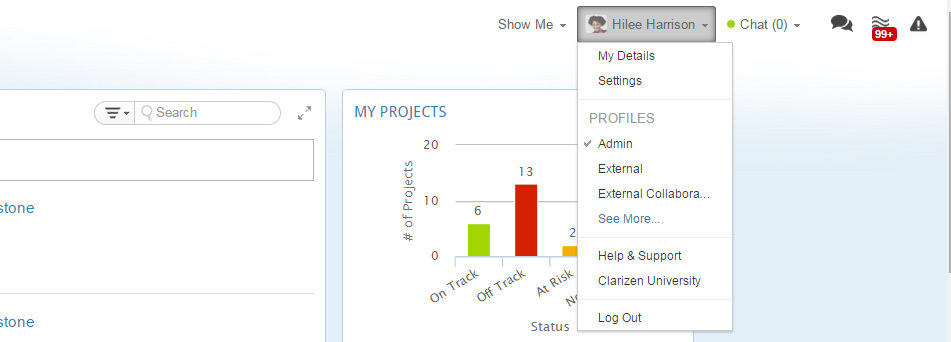
- Click your name in the Masthead and select the "My Details" option
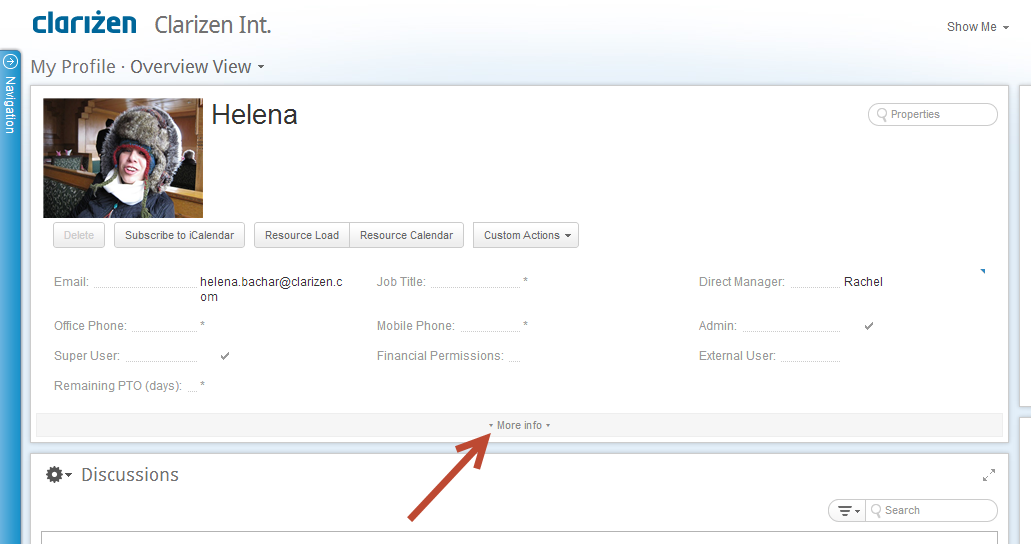
- In the Profile card, click on "More Info"
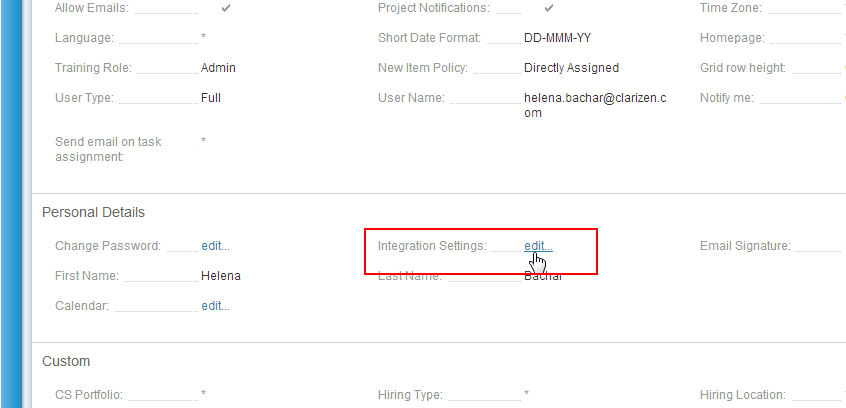
- Locate the "Integration Settings" field under the "Personal Details" section and click on "edit..."
Alternatively, you could search for the "Integration Settings" field in the properties card search bar at the top right hand corner of the card.
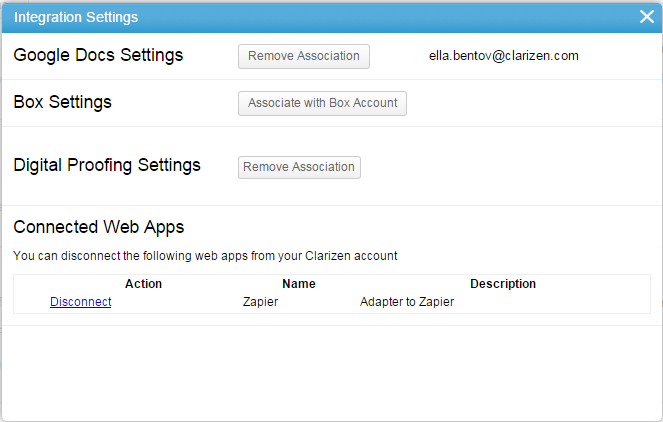
The Integration Settings window appears - Click Associate with Box Account
You will be redirected to BOX
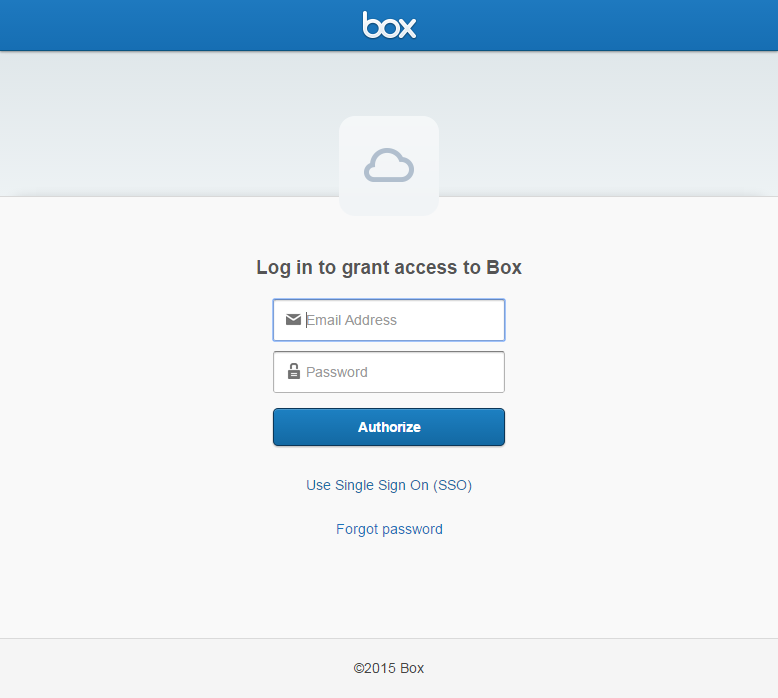
- Enter your BOX credentials
- Click Authorize
- Confirm access to BOX
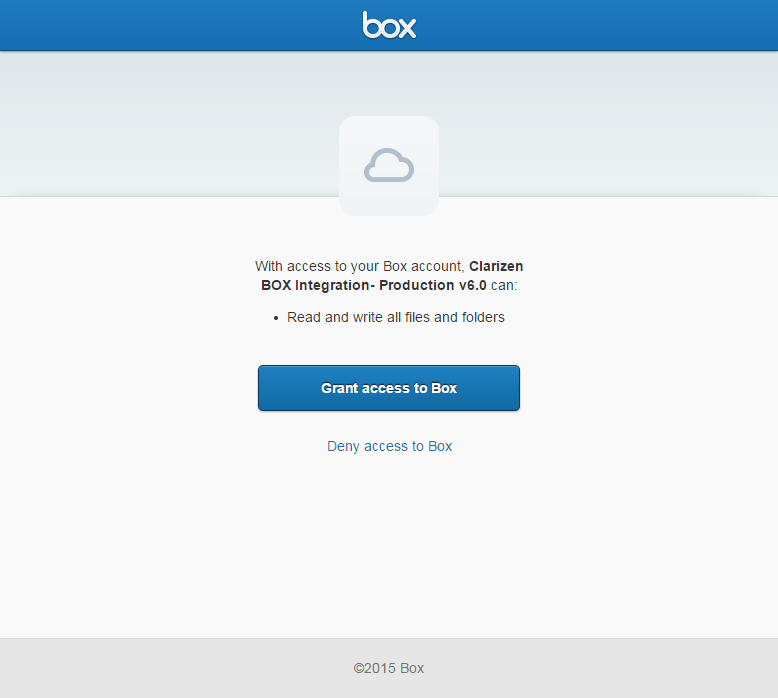
Your account is now associated to BOX
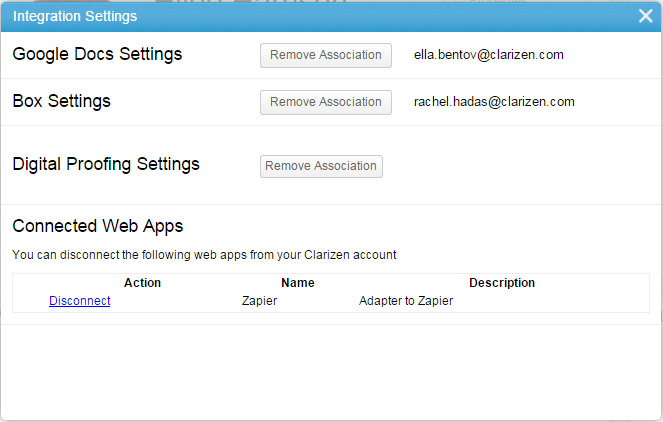
- To remove your BOX account association, click Remove Association
Note: If the box viewer is blocked, you may need to add the following URL to your organization's firewall exceptions:
https://clarizen-production.app.box.com
Linking Box Files and Folders to AdaptiveWork Items
You can link a Box file anywhere you can add new files simply by clicking "Add Related", selecting "Files", and then selecting the "Box" tab.
Linking your first box file to AdaptiveWork will create an association between the two accounts.
Adding a Box File or Folder
- Navigate to the Add File window via one of the methods described in the Adding Files page.
- Click

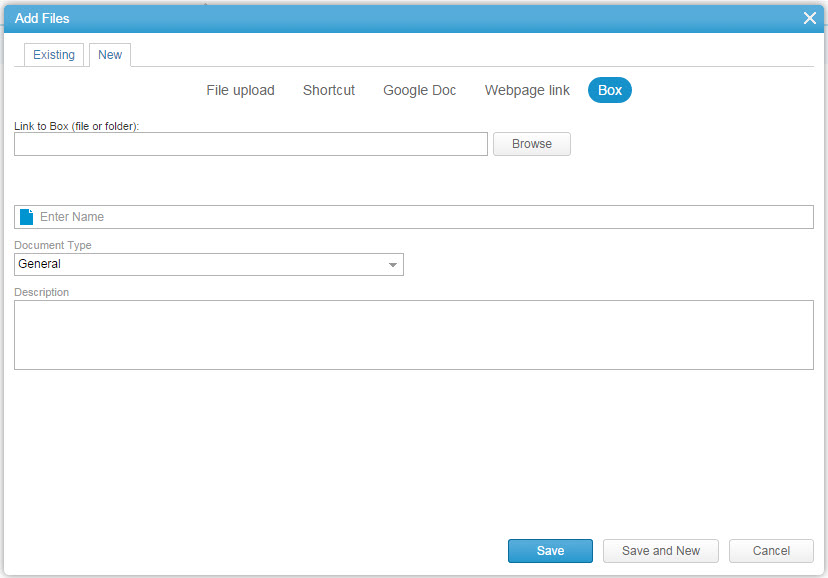
- Click

The Choose a Box Doc find window opens.
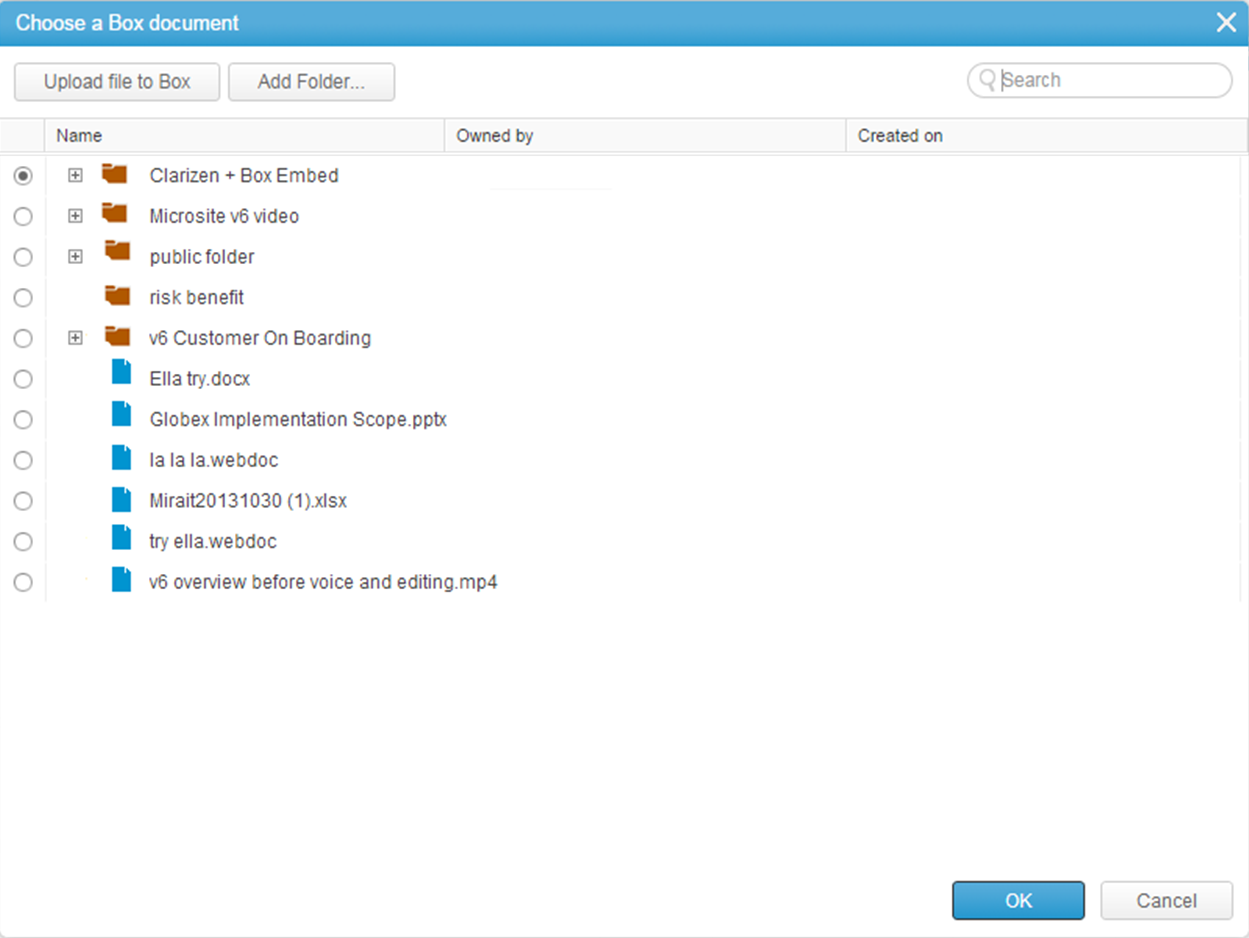
- Select the intended Folder or File,create a new folder, or upload file to Box and click

Note:
You can use the search field to quickly locate the file you are looking for.
- Define the Name field.
- Click
 to select a category for the Document Type field.
 - Enter a description to the Description field.
- Click

- The data is sent to the server, a message confirms the action, and the selected Box folder is added to the item.
Creating a New Folder in Box
Note:
You can also create a folder using custom actions.
- Follow steps 1-3 in Adding a Box Item above.
- Select a folder under which you want to create the new folder.
- Click
The Create Folder window opens
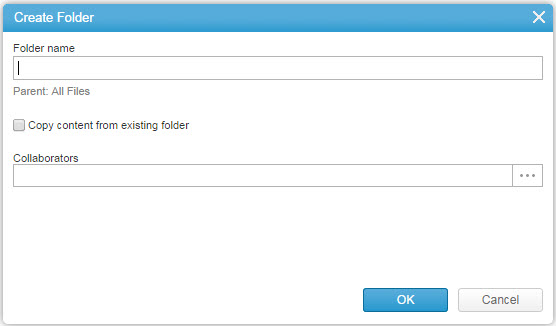
- Type the new Folder name
- To copy the content of an existing folder:
- Select the Copy content from existing folder checkbox
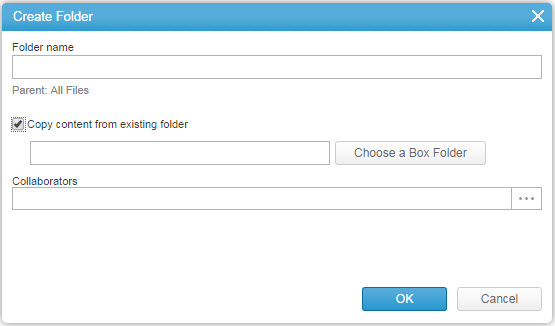
- Click
 to locate and select the folder you wish to copy
- Select the Copy content from existing folder checkbox
- Add the people who will have access to the folder in the Collaborators field
Note:
Collaborators will have both read and write permissions to the files in the folder.
- Click
 .
. - Continue with step 5 through 9 in Adding a Box Item above.
Customizations
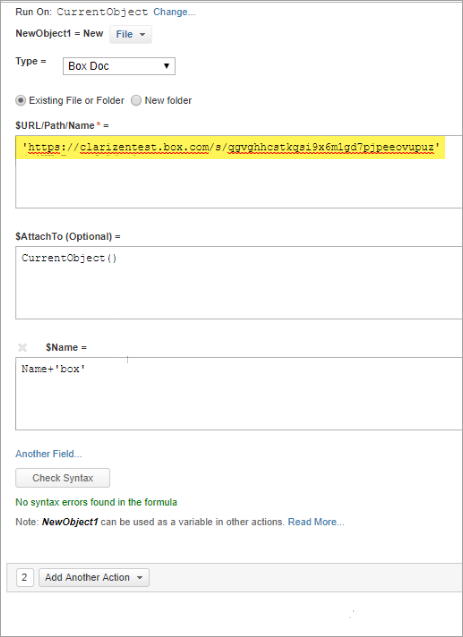
You can utilize the Box integration in various customizations, for example, create a Custom Action to create a Box folder.
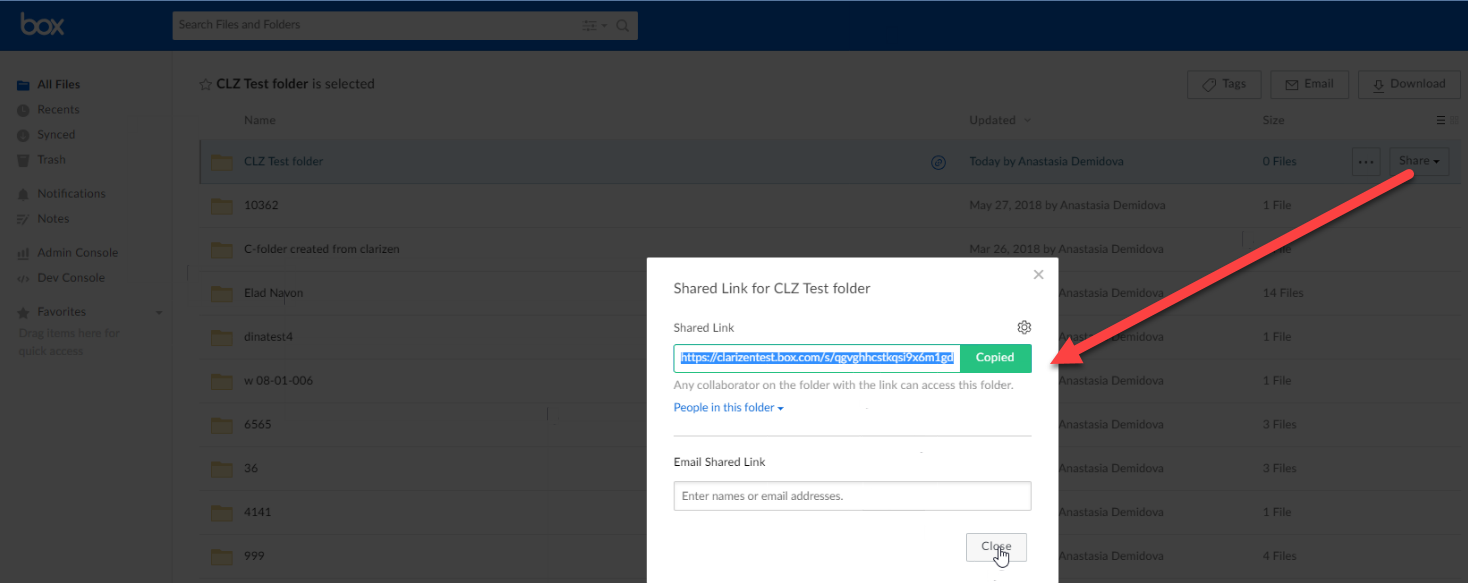
Note: When adding the link for existing folders and files in customizations (Configurations), you must include the shareable URL link from Box.
1. Get the shareable link from Box.
2. Use the link in the Configurations setup.
Annotations
For more about Box preview and annotations, click here.