Release Risk Level Customization
Release Risk Levels are selected when adding or editing an Enterprise, Project, or Independent Release.

Location of Release Risk Levels
Release Risk Level field is found on the Details tab of the Enterprise, Project, or Independent Release pop ups.
To locate Release Risk Level:
- Go to Release > Manager.
- Click the Releases toggle button (if present).
.png?revision=1)
- Click to open a Release.
- The Risk Level drop-down menu is in the Details panel under the first tab (Release, Project, or Independent).
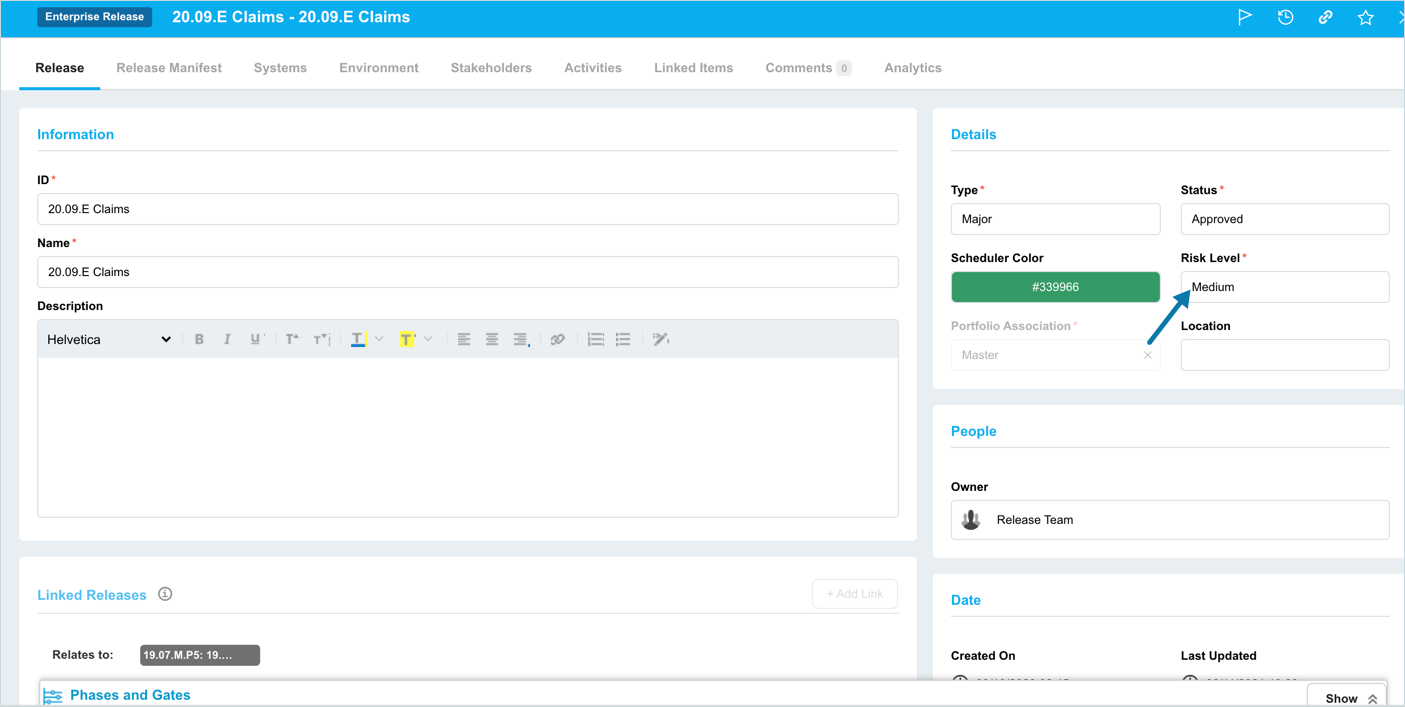
Add a Release Risk Level
To add a Release Risk Level:
- Go to Settings
.png?revision=1) > Customization > Releases.
> Customization > Releases. - Click Release Risk Level.
- Click Add Field.
- Type the new Release Risk Level into the Value field.
- Click to select one or more of the Default checkboxes to make the item the default selection for Enterprise
 , Project
  or Independent
  Releases.
 - Click Submit.
The yellow Your changes have been saved pop up opens and closes.
If you click away from the Customization page without clicking Submit, your changes will not save.
Edit a Release Risk Level
To edit a Release Risk Level:
- Go to Settings > Customization > Releases.
- Click Release Risk Level.
- Click to select the Release Risk Level.
- Click Edit Field.
- Edit the Release Risk Level in the Value field.
- Click to select one or more of the Default checkboxes to make the item the default selection for Enterprise , Project or Independent Releases.
- Click Submit.
The yellow Your changes have been saved pop up opens and closes.
If you click away from the Customization page without clicking Submit, your changes will not save.
Sort Release Risk Levels
Sort Manually
Sorting Release Risk Levels manually changes their order in drop-down menus.
NOTE
Refresh your browser to sort manually after sorting alphabetically.
To sort Release Risk Levels manually:
- Go to Settings > Customization > Releases.
- Click Release Risk Level.
- Hover your mouse cursor over the sort column.
The sort handle (six gray dots) appears.
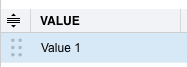.png?revision=1)
- Left-click and drag the sort handle to resort the Release Risk Level.
- Click Submit.
The yellow Your changes have been saved pop up opens and closes.
If you click away from the Customization page without clicking Submit, your changes will not save.
Sort by Column Header
Sorting Release Risk Levels by column header only changes their order on the Customization page.
To sort alphabetically on the Customization page by column header:
- Go to Settings > Customization > Releases.
- Click Release Risk Level.
- Click a column header.
The Release Risk Levels will revert to their previous order when you click away from the Customization page.
Delete or Replace a Release Risk Level
Deleting a Release Risk Level will not delete it from Release records. But it will no longer be available when adding or editing a Release.
Replacing a Release Risk Level will replace it in existing Release records.
To delete or replace a Release Risk Level :
- Go to Settings > Customization > Releases.
- Click Release Risk Level.
- Click to select the Release Risk Level.
- Click Delete Field
- Choose one of the following:
- Delete and Replace:
- Select the item that will replace the deleted Release Risk Level from Replace with.
- Click Delete and Replace.
NOTE
Your updates will be automatically saved. There is no need to click Submit.
- Delete:
- Click Delete.
NOTE
Your updates will be automatically saved. There is no need to click Submit.
- Click Delete.
- Delete and Replace: