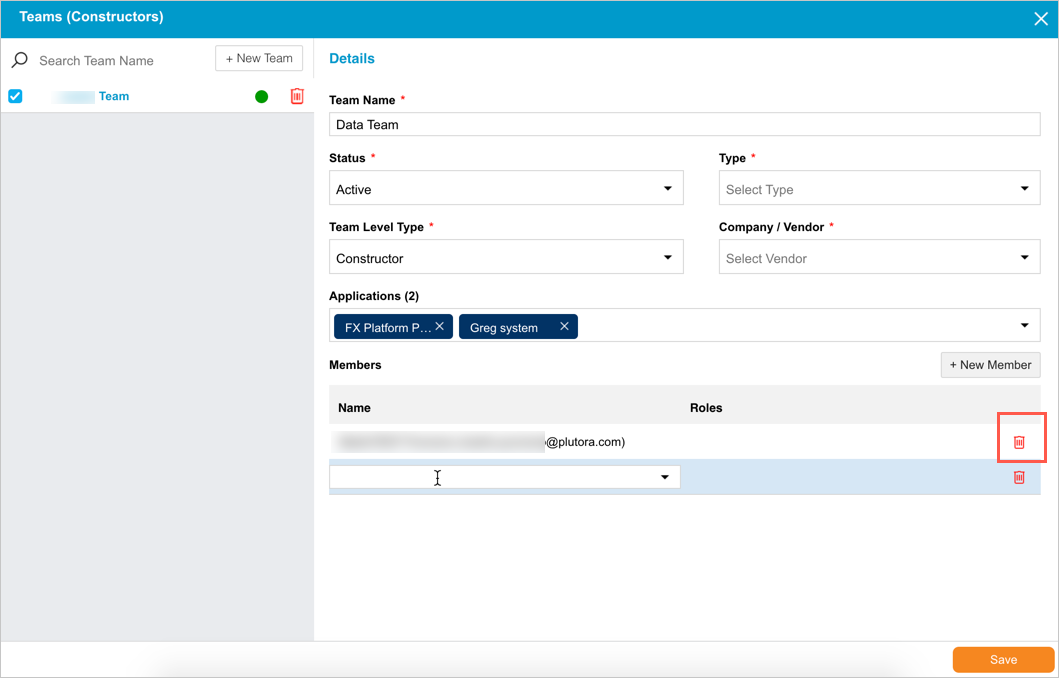
Manage IM Teams (Constructors)
TIP
See Quick Start Guide – Form Builder Customization for the context of this article
Teams or Constructors are a new feature for the Initiative Management module. They allow administrators to create teams of users that can be used in drop-down menus in IM forms.

Manage Teams
Mark User Roles as Team Member Roles by selecting the Team Member Role checkbox when managing user permissions.
To manage teams:
- Go to Settings
 > Customization > Initiative Management (IM).
 - Click Form Builder.
- Click Teams (Constructors).
.png?revision=1)
- Manage teams:
- Add a team:
- Click + New Team.
TIP
This button is only visible if you have one or more of the Create Team or the Create Team (Restricted Access) user permissions.
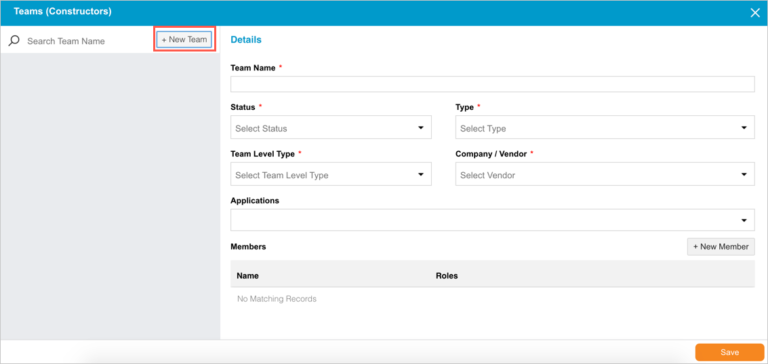
- Type the Team Name.
TIP
To customize the Status, Type, Team Level Type, Vendor, and Applications drop-down menus, speak to Release & Verify Support.
Select a Status. - Select a Type.
- Select a Team Level Type.
- Select a Company/Vendor.
- Select Applications.
- See Manage team members below for how to add team members.
- Click Save.
- Click + New Team.
- Edit a team:
- Click to select a team.
- Update the form.
- Click Save.
TIP
This button is only visible if you have one or more of the Update Team or the Update Team (Restricted Access) user permissions.
- Delete a team:
- Type a search term in Search Team Name and press Enter on your keyboard.
- Hover your mouse cursor over the team until the red delete button appears.
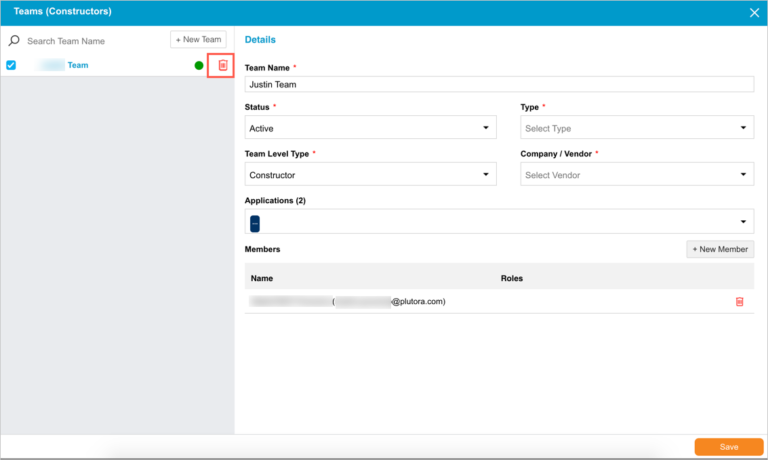
- Click the red delete
 button.
TIP
This button is only visible if you have one or more of the Delete Team or the Delete Team (Restricted Access) user permissions.
Click Yes to confirm.
- Add a team:
- Manage team members:
- Add a team member:
- Click to select a team from the left-hand panel.

- Click + New Member.
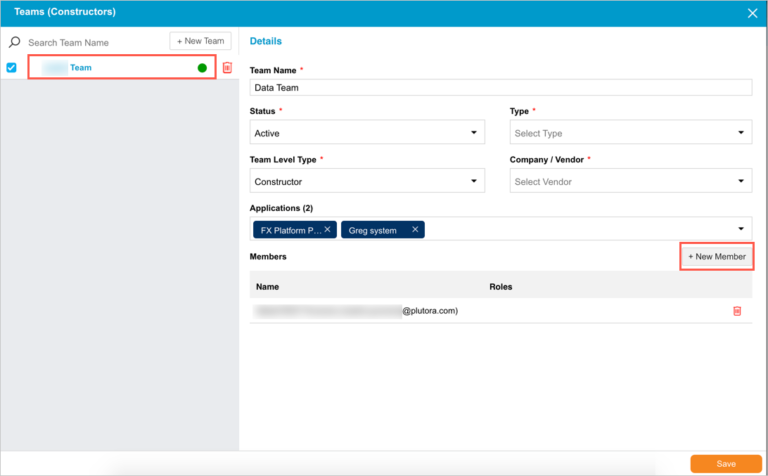
- Double click the Name field and select a name from the drop-down menu.

- Double click the Role field and select a role from the drop-down menu.
- Click Save.
- Click to select a team from the left-hand panel.
- Delete a team member:
- Type a search term in Search Team Name and press Enter on your keyboard.
- Click to select a team from the left-hand panel.
TIP
Be careful when deleting team members, as they will be deleted immediately and you will not be prompted to confirm.
Click the red delete button next to the team member.

- Add a team member: