Delete Changes
Introduction
You can delete Changes from the Change Manager page. Deleting a Change will not delete it from existing records in Release & Verify. But it will no longer be available when creating new records.
Pre-requisite
- You must have the ‘Delete Change’ user permission.
- Ensure that Change is not locked.
Navigation
Release > Change
Delete a Change from the Grid
To delete a Change from the ‘Change’ page:
- Go to Release > Change.
- Select the Change that you want to delete.
- Click
.png?revision=1) .
. - Click Delete.
- Click
.png?revision=1) on the confirmation prompt to confirm.
on the confirmation prompt to confirm.

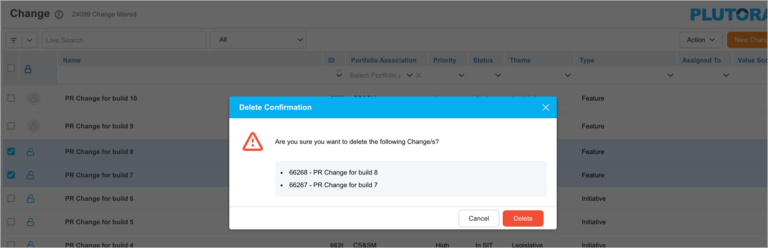
Bulk Delete Changes
To delete a Changes from the ‘Change’ page:
- Go to Release > Change.
- Select the two or more Changes that you want to delete.
- Click .
- Click Delete.
- Click on the confirmation prompt to confirm.
More Information
You can delete a Change on the ‘Edit Change’ pop-up by clicking .
