Copying and Moving Ideas
Overview
You may want to copy or move an idea once a challenge is underway. This is possible, with certain caveats.
NOTES
When you move ideas from the current challenge, the idea details, such as votes, comments etc., are moved with it. If you copy, they are not.
Tasks are challenge-specific and will cause an error when attempting to open them if an idea is moved to another challenge.
How it Works
- Ideas can be copied or moved only to communities/challenges in which it is possible to post ideas.
- Copying ideas is allowed only when the recipient community/challenge has at least one category.
- Ideas can only be copied to a different community/challenge. Ideas cannot be copied to the same community/challenge.
- Prior to copying or moving an idea, ensure that the idea template (XML field names) is the same in both the source and destination community/challenge. Idea template differences will cause data corruption when the idea is copied or moved.
WARNING
Idea templates should be changed only prior to community/challenge launch. Changing the idea template in an active community/challenge may cause data corruption and loss.
If you try to move an idea to a category in a community whose idea template is different, you will receive a warning message that data will be lost if you move the idea.
Be sure that the number of stages are the same when moving ideas. If the idea came from a site with more stages, it will display an error on the new site that has fewer stages.
If you move ideas to a different category, ensure that your idea templates are exactly the same, otherwise you will lose data. If you end up losing data, simply move the idea back to the original category and the data will repopulate. To work around this, re-input the data that is not transferred over to the idea after it is moved.
How to Copy an Idea to Another Community/Challenge
To copy an idea to another community/challenge:
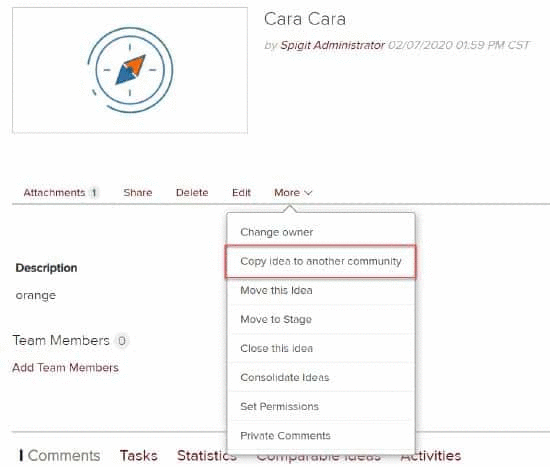
- On the Idea's Detail page, click the More menu.
- Select Copy Idea to another Community from the dropdown menu.


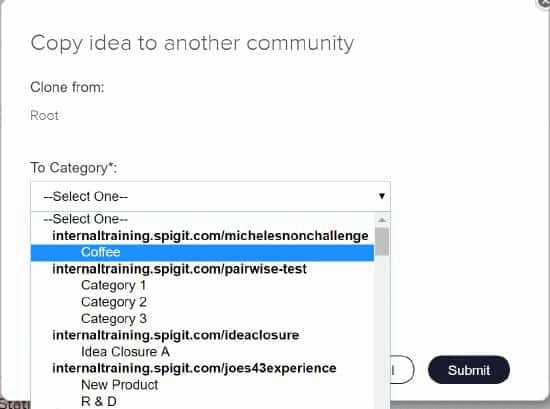
3. Select the community and category to which you want to assign the idea.
4. Click Submit.
You need to have Moderator, Administrator or Super Administrator access to the recipient community in order to copy ideas to another community. The recipient community or challenge must have a category. Idea comments, metrics and original owner are not copied.
WARNING
Users are able to copy an original idea to another community/challenge, whether the original idea is open or closed, and regardless of the challenge status. However, once that original idea has been copied, please be advised the original idea will not have the option of being reopened once it’s closed. The copied idea can be closed and reopened.
How to Move an Idea to a Different Category in the Same Community/Challenge
If you have Administrator access, you can do this through the Move this Idea feature:
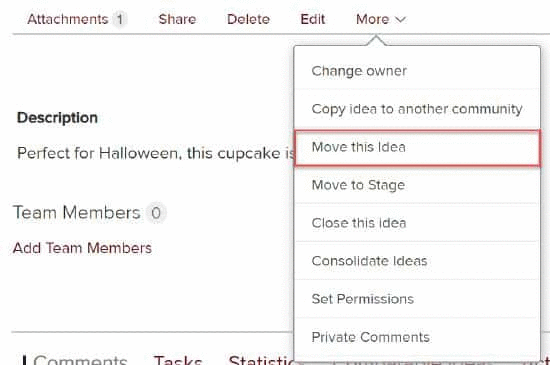
- On the Idea Detail page, click the More menu.
- Select Move this Idea from the drop down menu.
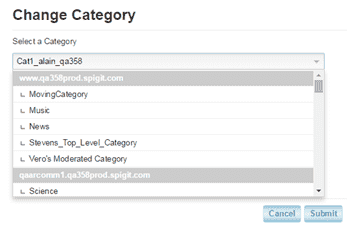
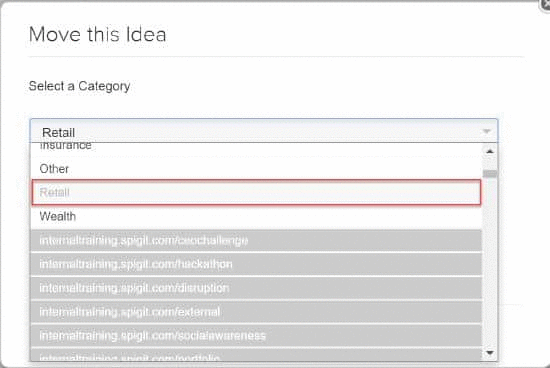
3. Select the community and category to which you wish to assign the idea.
4. Click Submit.


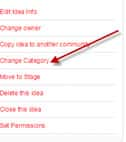
If you have Super Administrator access you can do this through the Change Category feature on the More menu: