User: Edit Profile
How do I edit my profile?
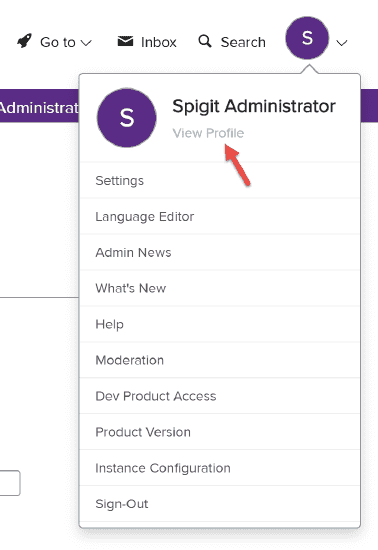
- Click your avatar in the upper right corner of the screen. (An avatar is an image you upload to be displayed next to your name when you post on IdeaPlace. It starts out as just a letter as indicated in the screen shot below.)
- Click View Profile on the dropdown menu.
- Click the Edit Profile link on the next page.
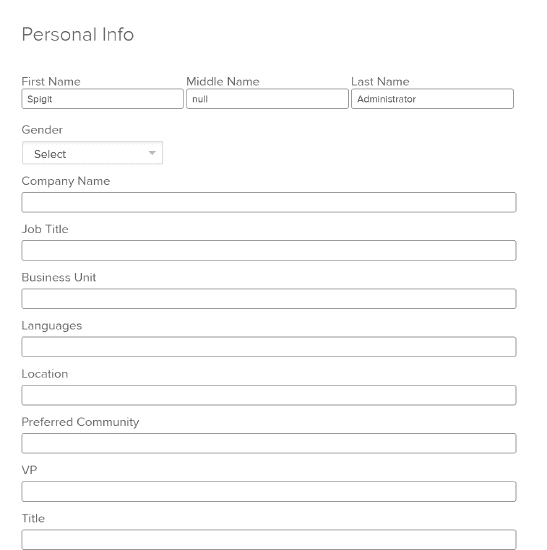
You’ll be taken to the Edit Profile page. Here you can enter your personal information, contact information, work experience, and other details.
You can also upload an image to be displayed next to your name when you post on IdeaPlace. This image is called an avatar. Go to the Avatar section at the bottom of the Edit Profile page to select and upload an image.
NOTE
Profile avatar images need to be at least 200x200 and max file size of 3MB.