How Can I Visualize Dependencies with Connections?
Any work that requires other work to be completed, or is required for other work to be completed, is part of a dependency. This might be work that has to be completed in a sequential order or work that requires other members of your team, or other teams, to complete steps in a process before other steps can proceed.
Tip: Parent/child connections show how work breaks down and rolls up progress. To track when one card is waiting on another with incoming and outgoing dependencies, see Enhanced Dependency Management.
How do I visualize dependent work in AgilePlace?
You can visualize dependent or related work in two ways:
- Parent and child connections — Show how work breaks down. Child progress rolls up to parent cards so you can see when related work is complete, on one board or across boards. The example below shows this approach.
- Incoming and outgoing dependencies — Show when one card is waiting on another. Use the Dependencies tab to connect cards, set connection timing, and see health and status on the board. You can also turn on dependency connection lines in View Settings. For setup and details, see Enhanced Dependency Management.
To track related work with parent/child connections, create connections between the cards as in the example below.
Here’s an Example of Using Parent/Child Connections
“Project Team 1” and “Project Team 2” are two larger projects belonging to two different teams and both rely on “Project Team A” to be completed in order to move forward. However, “Project Team A” cannot move forward until “Step 1 Team A,” “Step 2 Team A,” and “Step 3 Team A” have been completed.
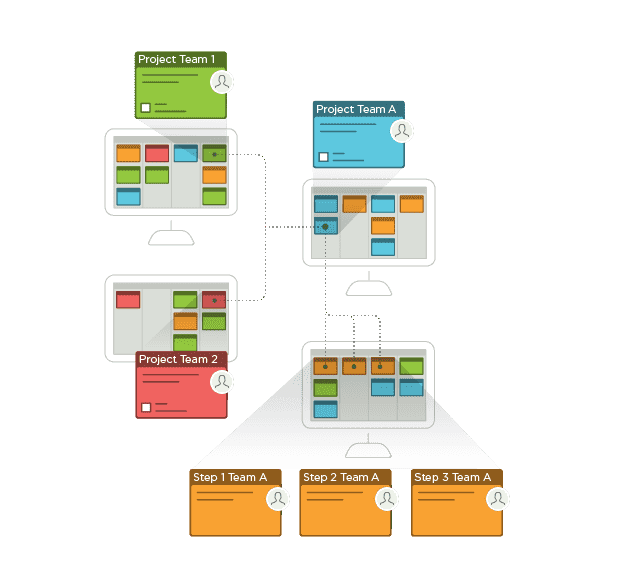
By making “Project Team 1” and “Project Team 2” parent cards of “Project Team A,” Team 1 and Team 2 will be able to easily see when “Project Team A” has been completed by monitoring the progress bar that appears on their respective parent cards. So it's easy to see when the next work item can move forward, even when the cards are in different locations.
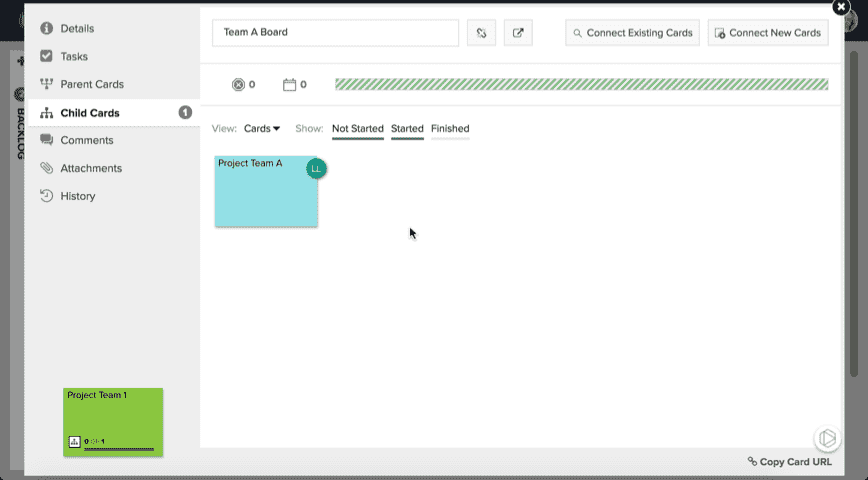
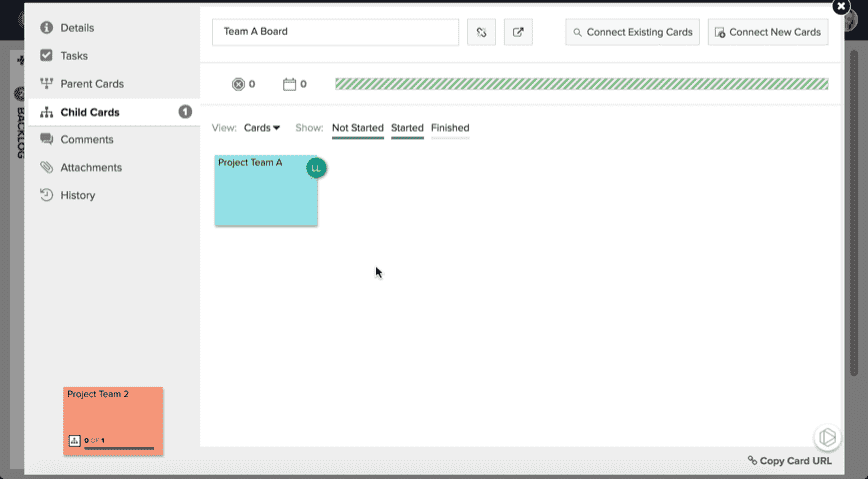
And by making “Project Team A” a parent card of “Step 1 Team A,” “Step 2 Team A,” and “Step 3 Team A,” the progress bar will indicate when all three of these steps are done and Team A can move forward on their project.
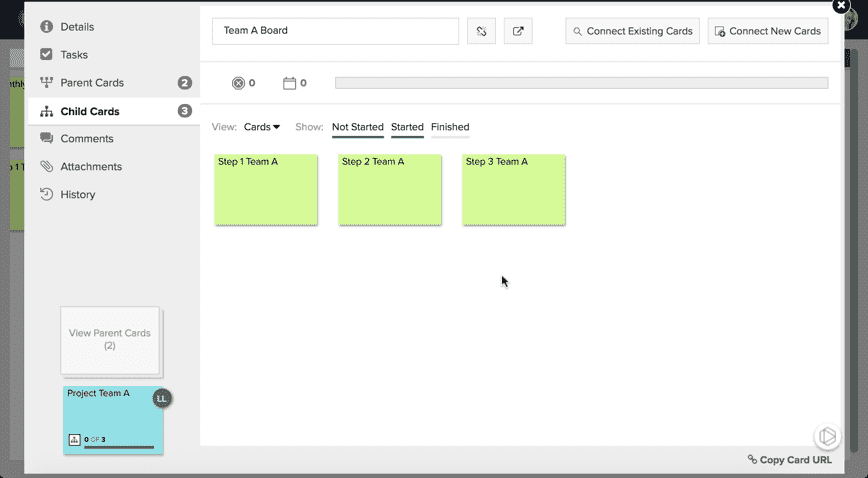
So, when “Step 1 Team A,” “Step 2 Team A,” and “Step 3 Team A” are all completed, the progress bar on “Project Team A” will show as complete, and work can then move forward on that project.
Then, once “Project Team A” is completed, Teams 1 and 2 can move forward with their dependent projects. All of this work can be tracked from each team’s individual board, keeping teams from having to constantly check in on project status or create duplicate cards on each other’s boards.
More Connections Information
For more information on parent and child card connections, check out our connections overview and related articles here.